
If you’re showing up regularly online but your content still isn’t getting the reach you expected, trust me — many creators feel the same.
Most creators and marketers put hours into one piece of content, only for it to get a few hours of visibility before the algorithm buries it.
That’s exactly why content repurposing exists.
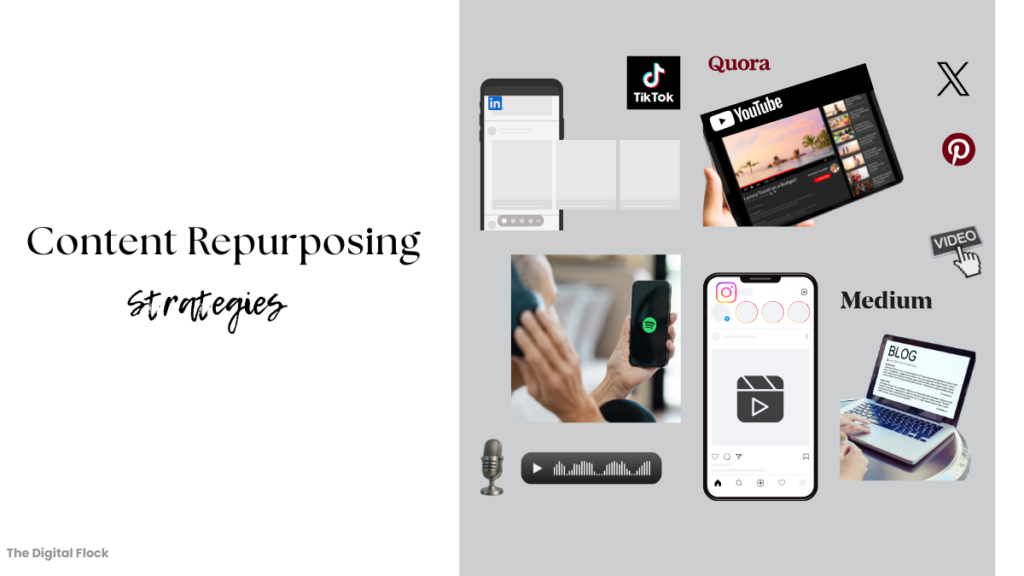
- TL;DR: Core Content Repurposing Strategies
- What Is Content Repurposing?
- Why You Need a Content Repurposing Strategy
- 5 Core Content Repurposing Strategies with Examples and AI Tools
- Repurposing Content for Social Media (My personal content repurposing Workflow)
- How I Applied These Content Repurposing Strategies in My Example
- Wrapping up
If you want a quick overview before diving into the detailed breakdown, here’s a TL;DR of the five core content repurposing strategies.
TL;DR: Core Content Repurposing Strategies
1. Multi-Format Strategy
Convert one content piece into multiple formats (video → blog, blog → carousel, video → clips, blog → podcast, etc.) to reach different content-consumption preferences.
2. Cross-Platform Strategy
Adapt and distribute your content across platforms (YouTube, Instagram, LinkedIn, X, Pinterest, Spotify) to reach new audience segments and maximize visibility.
3. Pillar-to-Micro Strategy
Turn one long pillar content (blog, podcast, webinar, video) into multiple micro-content pieces like posts, clips, infographics, carousels, or tweets.
4. Short-to-Long Strategy
Expand short-form content (Reels, Shorts, tweets, LinkedIn posts) into in-depth content such as blogs, long YouTube videos, or podcasts to build authority and SEO value.
5. Live Session to Content Strategy
Repurpose live sessions (webinars, workshops, meetings) into blogs, clips, carousels, email content, podcasts, videos, or eBooks using transcripts and key insights.
I’ve explained each of these strategies in detail below — along with the exact AI tools you can use, and real examples for every strategy.
I’ve also included my personal content repurposing workflow so you can see how this works in practice.
Now, let’s start with the basics and understand what content repurposing means.
What Is Content Repurposing?
Content repurposing is simply taking the content you’ve already created and converting it into new formats so it can reach more people on the platforms where they’re most active.
For me, content repurposing means:
Create once → distribute everywhere → in formats people actually consume.
Instead of starting from scratch every time, you take something you’ve already made — a blog, video, short clip, live session, or even a single idea — and turn it into multiple pieces of content for different platforms.
For example:
A YouTube video can become a blog, a carousel post, a podcast, short clips, and even an infographic.
This is where a solid content repurposing strategy becomes a game changer.
They give you a structured way to maximize your effort, stay consistent, and grow across multiple platforms without burning out or constantly thinking of new ideas.
Up next, I’ll break down these content repurposing strategies (with tools and examples). Then, I’ve also shown how I repurposed one blog subsection into 6 different formats for different social media platforms using the same strategies.
Click here to jump to the example.
But first, let’s quickly understand why you need a content repurposing strategy.
Why You Need a Content Repurposing Strategy
Creating content takes time, creativity, and consistency — yet most pieces get one-time visibility before fading in the algorithm.
A content repurposing strategy helps your content keep working even after you post it.
For marketers, creators, teams, business owners, and solopreneurs, this means turning effort into lasting impact.
Instead of creating something new every time, repurposing content helps you:
- Get more out of what you already have by reusing content across platforms to boost your ROI.
- Stay consistently visible, even when you’re not actively creating.
- Reach new audiences through varied formats — videos, blogs, podcasts, or carousels.
- Build topical authority by reinforcing key ideas across content types.
- Save time and resources while keeping your brand message consistent.
- Build brand presence, trust, and a loyal audience over time.
In short, a clear repurposing strategy helps you create once and distribute endlessly — extending your content’s reach, lifespan, and value.
Let’s get into the core content repurposing strategies you can use to save time, grow across platforms, and get more value from each content piece.
5 Core Content Repurposing Strategies with Examples and AI Tools
These strategies are the foundation of an effective repurposing system — and I’ve applied many of them in the real example later in the blog.
Each strategy below is simple, practical, and works for any industry or content type.
Multi-Format Strategy
People consume content differently — some love watching videos, scrolling quick content, others prefer reading blogs or listening to a podcast.
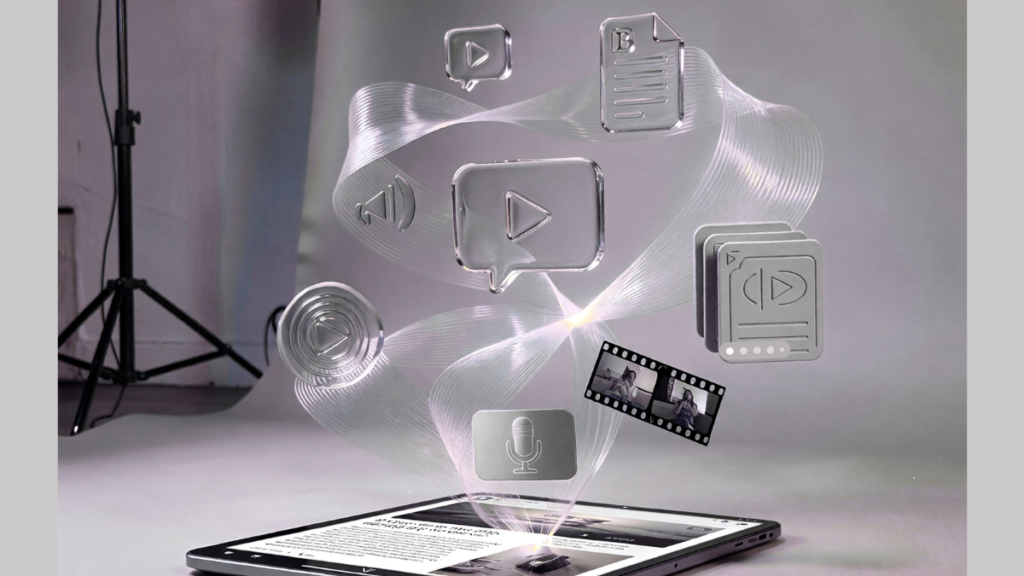
The Multi-Format Strategy is about taking one content idea and converting it into several formats so you reach more people and meet their consumption preferences.
Examples
- Turn a long-form YouTube video or podcast audio into a fully SEO-optimized blog using tools like RightBlogger, or an infographic into a blog with Gemini.
- Create short clips for YouTube Shorts, Instagram Reels, or TikTok from a YouTube video using Opus Clip.
- Transform blogs or explainer videos into a two-person conversational podcast (with realistic voices) using NoteGPT, or into a lifelike AI-avatar podcast video or just an AI avatar video with Jogg.
- Repurpose a blog into a carousel post for LinkedIn/Instagram in seconds with PostNitro.ai.
- Convert any blog or audio into a short or full video using Pictory.
I’ve personally tried each of these tools and included the repurposed outputs in my blog, which covers 15 AI content repurposing tools, complete with results and examples.
Click here to see all 15 AI content repurposing tools with generated results.
Why this strategy works:
- Reaches diverse audiences with multiple content formats.
- Boosts engagement by matching how people prefer to consume content.
- Improves discoverability and SEO through varied formats.
Extends your content’s lifespan by keeping it active across channels.
Cross-Platform Strategy
While Multi-Format is about changing content formats, the Cross-Platform Strategy is about sharing your content across different platforms — Instagram, YouTube, LinkedIn, X, Pinterest, Spotify, etc.
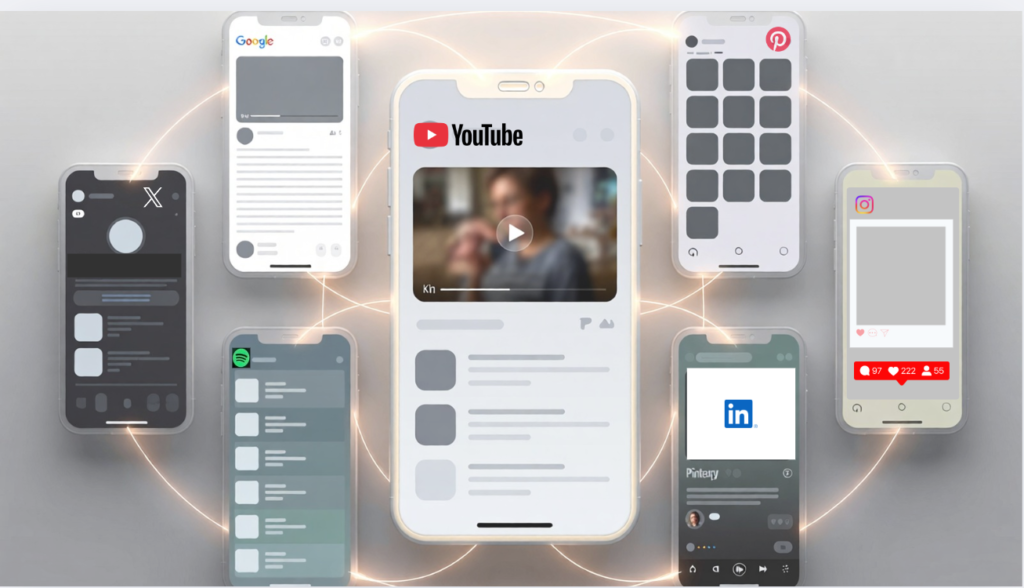
People spend time on different social media platforms. So adapting your content for multiple places helps you reach new audience segments.
For instance,
From a single YouTube tutorial, you can:
→ trim short clips for Reels/Shorts
→ turn it into an SEO-optimized blog
→ convert that blog into a LinkedIn carousel
→ design an infographic for Pinterest
→ repurpose it into a podcast for Spotify
Tools like Repurpose.io, Hubspot’s Content Remix, help in repurposing and publishing directly across multiple social platforms from one place.
Why this strategy works:
- Expand reach by tapping into different audience groups.
- Builds brand familiarity and recognition across multiple touchpoints.
- Strengthens contextual relevance — your message appears wherever your audience is.
- Drives engagement and conversions from different platforms.
If something doesn’t perform well on one platform, it may do great on another like a video that flops on YouTube can get strong engagement on LinkedIn or Instagram.
You don’t need to discard that content, just repurpose and share it elsewhere. That’s the power of cross-platform repurposing — your content just needs to find the right audience.
💡Pro Tip:
Don’t just copy-paste content across platforms. Adapt the tone, format, and CTA (Call-to-action) to fit each one — short Reels work best on Instagram, professional takes suit LinkedIn, and threads engage well on X.
Pillar-to-Micro Strategy
This strategy is simple – It works by taking one detailed pillar (long-form) content and converting it into multiple micro-content pieces (short-form content).
How it works
Your pillar content can be a long blog, a YouTube video, a podcast episode, or a webinar.
From one main piece (pillar), you can create short-form content like infographics, short clips like reels, TikToks or YouTube shorts, carousel posts or tweets and audiograms.
For example:
- Take your main blog → highlight key takeaways → create visuals, LinkedIn or Instagram posts, carousels.
- Take a long YouTube video → cut best moments → turn into Shorts, Reels, TikToks.
- Take one podcast episode → extract key soundbites → create audiograms using Wavve.
In my real content repurposing workflow example section below, I didn’t even use the entire blog as the pillar.
I took one detailed subsection (“7 Use Cases”) and used that as a mini-pillar — breaking it into multiple micro-content pieces across formats.
Why this strategy works
- Maximizes the value of your long-form content.
- Helps you stay consistent without new ideas every day.
- Supports brand authority by repeating key ideas in multiple ways.
You save time, stay visible, and get more content out of one strong core idea.
Live Sessions to Multiple Content Pieces Strategy
This strategy turns your live sessions — like meetings, webinars, or online events on Zoom, Google Meet, or Teams — into reusable content you can publish across platforms.
A 45-minute webinar can be turned into:
A blog, YouTube video, Reels/ shorts, a carousel, an eBook, tweet thread, or even a podcast episode.
Who it’s for:
Ideal for creators, coaches, educators, marketers, and business owners who host live sessions, workshops, or webinars.
It’s especially useful for teaching-based professionals — helping turn one session into long-term assets like courses, eBooks, or useful blogs and videos.
How it works
- Record your live session and use a tool like Otter.ai to transcribe (in real-time) or summarize it, along with key takeaways.
- Repurpose the transcript or insights into blogs, eBooks, posts, emails, podcasts, carousels, or videos.
- Edit or trim valuable or engaging clips from the session — perfect for sharing as Reels, Shorts, or carousel posts to boost reach and engagement.
Why it works:
- You’re repurposing content you’ve already created — saving time while maximizing impact.
- Live sessions are packed with unfiltered, real insights and audience interactions, making the content authentic and engaging.
- Sharing clips and highlights keeps your expertise alive across platforms that attract new audiences for your future sessions as well.
- Over time, this builds authority, trust, and a loyal community in your niche.
Short-to-Long Strategy
This strategy is about turning short-form content — like Reels, Shorts, tweets, or LinkedIn posts — into long-form formats such as blogs, YouTube videos, or podcasts.
Short-form content grabs attention fast, often goes viral, and clearly shows what your audience resonates with — making it the perfect seed to expand into deeper long-form content.
How it works
Take a short clip or post and expand it into:
- a full blog using RightBlogger
- a long-form YouTube video using Pictory
- a podcast conversation using NoteGPT
Use AI tools like ChatGPT or Gemini to expand ideas, plan outlines, and turn a LinkedIn post, tweet, or even a Reddit post into a detailed article or video script.
Why this strategy works:
Even when short-form performs well, converting it into long-form helps you:
- Build credibility and authority on the topic.
- Improve SEO and search rankings.
- Drive steady, long-term traffic.
- Strengthen brand identity.
- Turn quick reach into lasting influence.
This strategy bridges the gap between reach (short form content) and depth (long form content). Short-form grabs attention, while long-form builds trust and creates lasting value.
Now, let’s see content repurposing in action with the strategies applied, tools used and results generated with my personal example.
If you’ve ever wondered how to repurpose blog content for social media, this walkthrough shows exactly how I repurposed my blog’s subsection into 6 different formats using AI tools.
Repurposing Content for Social Media (My personal content repurposing Workflow)
After explaining the main content repurposing strategies, I wanted to show a real example of how to repurpose content quickly and effectively using one of my own blog sections.
I recently wrote a blog on AI email marketing, which had three parts:
- 7 use cases of AI in email marketing
- 7 AI email marketing tools
- 7 tips to use AI for email marketing
To demonstrate how to repurpose content into different formats for social media, I took just one subsection — the 7 use cases — and turned it into multiple content formats for different platforms.
Content Repurposing in Action:
Since the blog section was already written, I simply copied it and used various tools to transform it into new formats.
Here’s all the content pieces I created by repurposing my content from that blog section:
1. YouTube Video
I used Pictory to turn the text into a video.
I just pasted the section into the tool, and it automatically created a 3-minute video — script, voiceover, captions, music, and visuals included.
Here’s the video I created for YouTube from my blog:
2. Podcast-Style Video
To experiment with creating a video but in a different style, I made a podcast-style video using Jogg AI.
It generated a realistic conversation between two AI avatars — script, dialogues, voices, lip-sync — all based on the same text from the blog’s section.
The free plan on Jogg AI only allowed a 1-minute video, so it didn’t cover all 7 use cases. The paid plan supports videos up to 15 minutes.
3. Short Clips for Reels/ Shorts
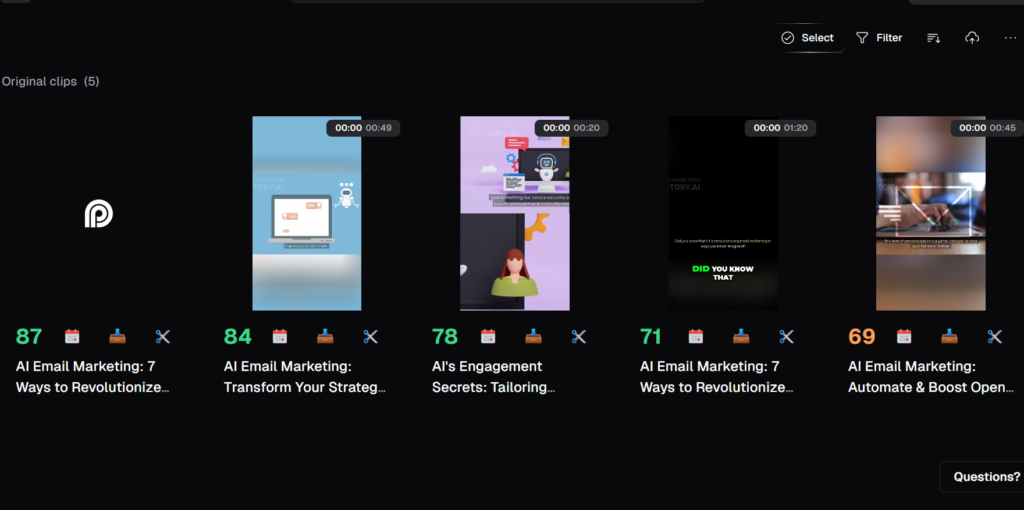
Next, I uploaded the Pictory video to OpusClip, which automatically generated 4–5 short clips for YouTube Shorts or Instagram Reels.
You can edit and publish them directly from the platform.
Here’s the screenshot from OpusClip where it generated 5 short clips from the same blog section:
4. Audio Podcast
I also wanted an audio-only version for Spotify.
So I used Notegpt and pasted the YouTube link. It created a podcast-style conversation between two speakers with realistic AI voices.
Here’s the link to the audio podcast I generated using Notegpt.
Audiograms (Extra option)
You can turn your audio into audiograms using Wavve.
These are short video clips with a static image (you can upload your own) and sound wave animation — perfect for sharing audio content as Instagram reels or YouTube shorts.
This is useful for audio podcasters, as they can upload their audio podcast and generate audiograms using Wavve.
To show this in the example, I uploaded the podcast I generated using Notegpt above on the topic “7 use cases of AI email marketing” and generated an audiogram using wavve.
This can be easily uploaded to YouTube Shorts or Reels.
5. Carousel Post
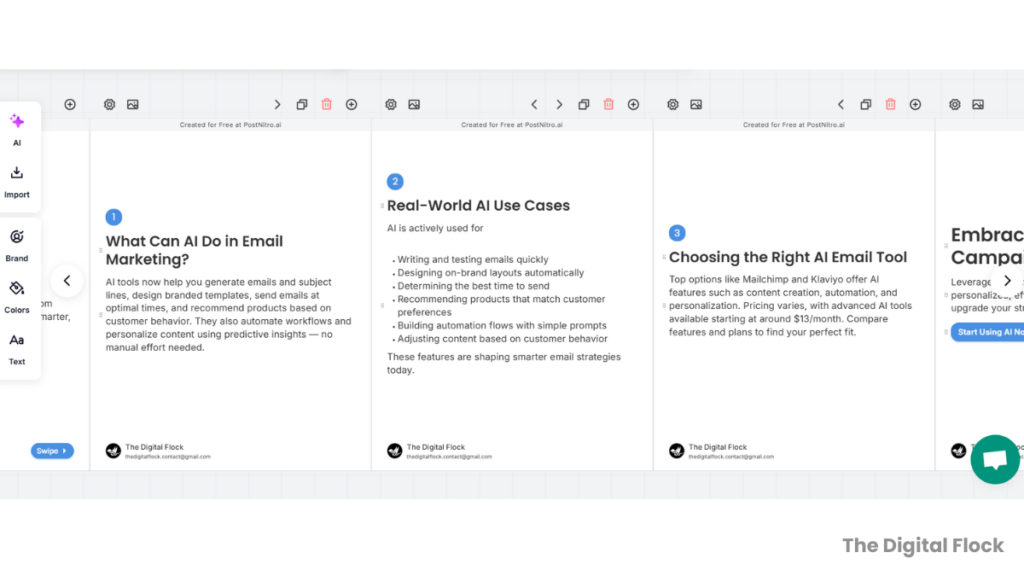
I used the same text to create a carousel post with Postnitro.
It generated clean slides that I customized with my logo and brand name.
Here’s the screenshot of carousel slides generated by PostNitro from my entire blog on AI email marketing, which includes use cases, tools and tips.
6. Infographic / Image
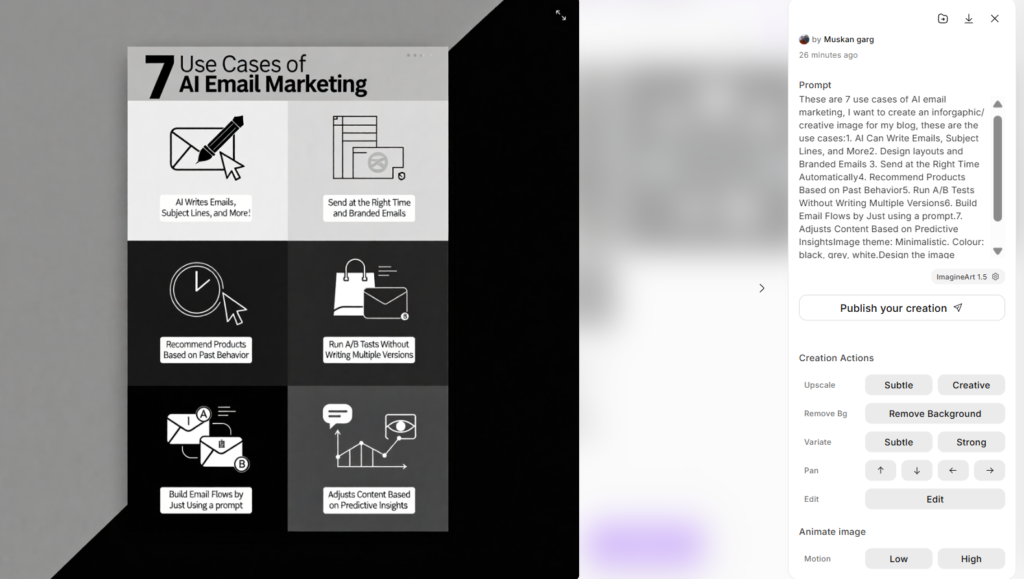
Finally, I turned the text into an infographic-style image that can be shared on Pinterest or any visual platform.
Here’s the infographic I created using ImagineArt. I tested 15 AI text-to-image tools using the same prompt in my comparison blog, and ImagineArt was one of the top-rated tools.

The infographic above came out perfect on the first attempt. I just pasted my 7 use cases and added a theme, color idea, and ImagineArt did the rest.
Here’s the screenshot of the exact prompt I used, along with the generated image.
All of this came from just one subsection of my blog — nothing new was written.
If you look at this example closely, it’s basically a practical version of the content repurposing strategies I explained earlier.
How I Applied These Content Repurposing Strategies in My Example
The strategies I applied here are the Multi-Format Strategy, Cross-Platform Strategy, and Pillar-to-Micro Strategy as per my content — all in a simple, hands-on way.
Here’s how each strategy was used in this example:
- Multi-Format Strategy:
I turned one blog section into many formats — a full video, a podcast-style video, an audio podcast, short clips, a carousel, an infographic, and an audiogram. - Cross-Platform Strategy:
I created content for different platforms like YouTube, Instagram, Spotify, LinkedIn, and Pinterest using the same section. - Pillar-to-Micro Strategy:
In my case, the “pillar” wasn’t the entire big blog — it was just one detailed section from it (the 7 use cases). That section itself had enough depth to work as a mini-pillar.
From that one section, I created smaller pieces like short clips, carousels, audiograms and visuals.
That’s all — one piece of content turned into multiple formats, shared across platforms, and broken into smaller parts. This is exactly how a content repurposing strategy saves time and expands your reach.
Wrapping up
Content repurposing isn’t just about saving time — it’s about making your content work harder for you. As you saw in the example, one blog subsection can turn into videos, clips, a podcast, a carousel, and more with the right tools and strategies.
Whether you’re a creator, marketer, or business owner, repurposing helps you stay consistent, reach new audiences, and get more ROI from every idea — without creating from scratch every day.
Start with one solid piece of content, apply a few strategies, and you’ll see how far your content can go with far less effort.
If you ever need help planning or repurposing your content, you can reach out through our email or LinkedIn — we’ll be happy to help.
About the Author

AI marketing strategist & founder of The Digital Flock, specializing in AI tools, AI SEO, and content automation. She applies AI in real marketing workflows and documents the results through strategies, tutorials, and case studies to help marketers use AI practically.